Todos · Calendar · Lists · Notes
The family calendar your family will actually look at.
Most shared calendars die because one person maintains it and nobody else opens it. Docalen puts it on the kitchen wall, sends the nudges itself, and works in any browser — so nobody has to install anything to take part. Free for the whole family.
- Free forever
- No ads
- No data sale
- Any browser
The name is the product
DoCaLeN
Four things every household runs on. Most families keep them in four different apps — and pay for it in forgotten dentist appointments.
-
Do
Todos
Assign it, and it lands on their day — not just on a list nobody reads.
-
Ca
Calendar
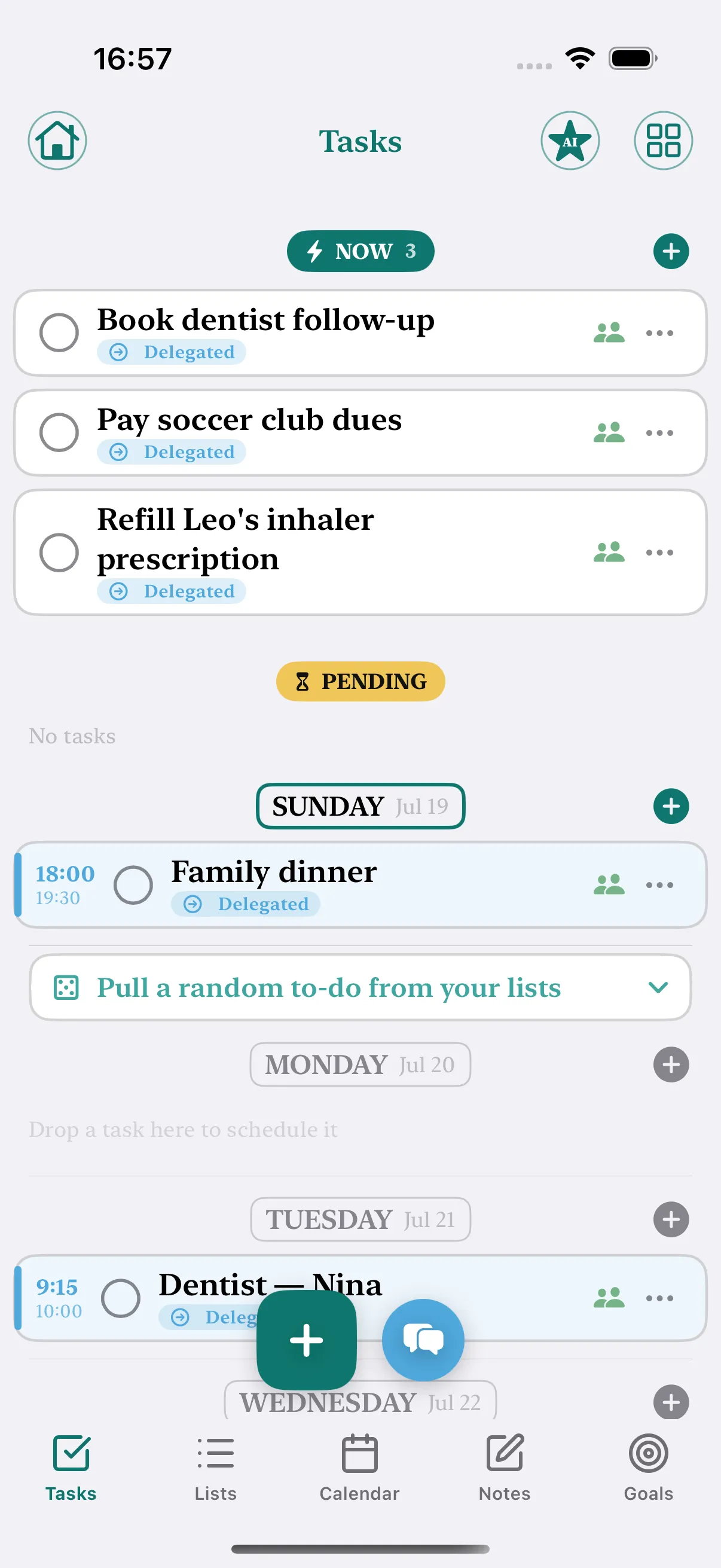
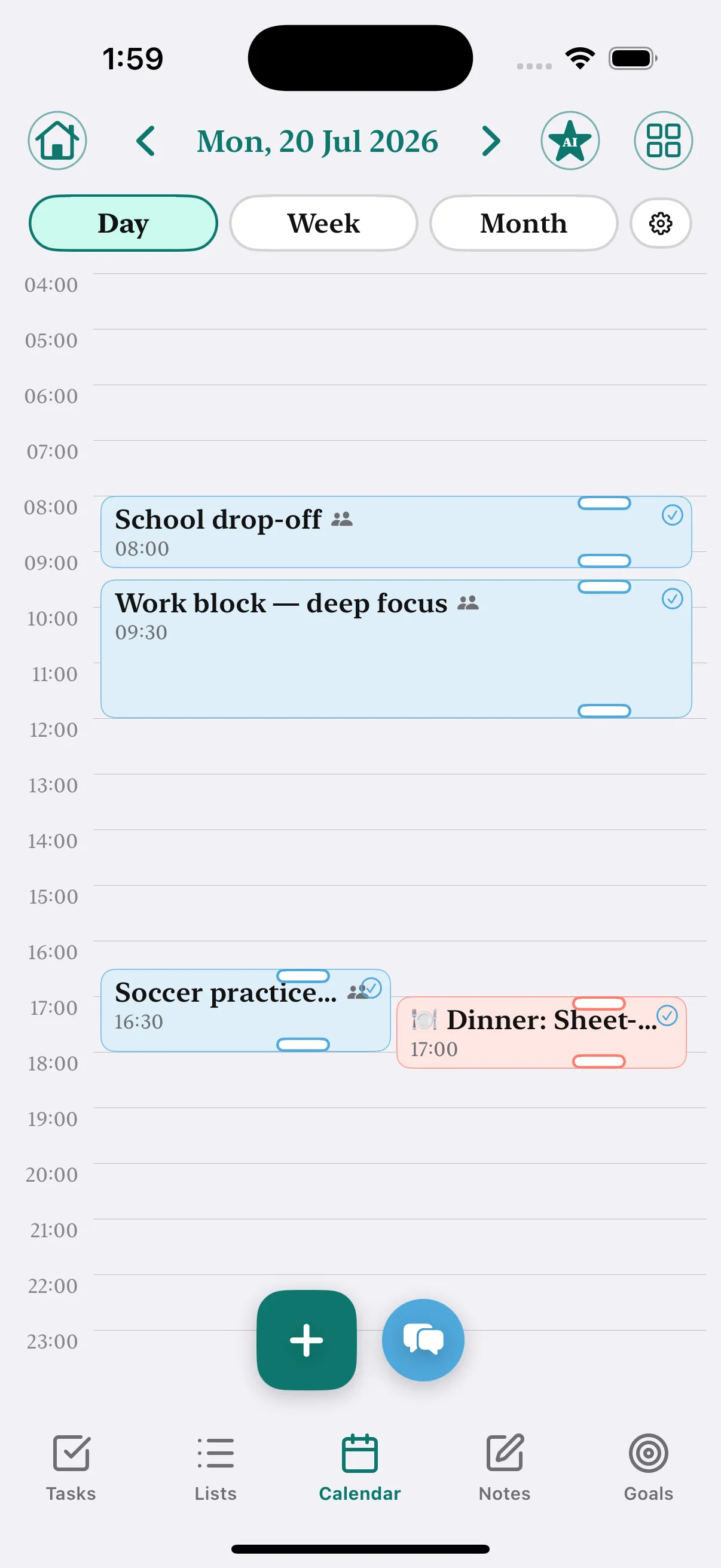
Everyone's week in one grid, color-coded by person, 6am to 10pm.
-
Le
Lists
Groceries sort themselves by aisle. Check an item, everyone sees it.
-
N
Notes
Shared, editable together in real time. The stuff that has no other home.
And they're all linked.
This is the part the app pile can't do. In Docalen the four sides talk to each other, so you enter something once.
-
Check a grocery item — the meal plan already knew it was for Thursday.
-
Assign a chore — it lands on their calendar, not just on a list.
-
Plan the week’s dinners — the shopping list writes itself, sorted by aisle.
-
Finish a goal’s step — the linked task ticks itself off.
How it travels
Enter something once. It shows up everywhere it should.
This is the part four separate apps can't do. Scroll to follow one task through the house.
Tue
Wed
Thu
Fri
Docalen → Maya
Soccer practice in 30 minutes
- 01
Type it once
Add "Soccer practice — Thursday 4pm" from wherever you are.
- 02
It lands on the calendar
In Maya's colour, on Thursday, where the whole family sees it.
- 03
And on the wall
The kitchen tablet already shows it. Nobody had to be told.
- 04
And it nudges them
Docalen reminds whoever it belongs to — so you stop being the reminder.
Todos ↔ Calendar
Move it a day. The calendar already knows.
Drag a task from Sunday to Monday in your list, and the matching calendar entry moves with it. One thing, two views — never entered twice.
Swim lesson
16:00 · Monday
Moved to Monday · calendar updated
Three steps, then it runs itself
The whole point is that you stop being the router every message passes through.
-
Make your family
Sign up in about thirty seconds, then invite everyone with one link. Grandma included — it opens in a browser, so nobody has to install anything.
-
Put life in one place
Calendar, todos, groceries, meals, chores, notes and family chat. Your work Google Calendar can appear too — as private "busy" blocks nobody else can read.
-
Let the app do the nagging
Assign a chore and Docalen nudges them, not you. They mark it done, you verify it, and the leaderboard keeps the score honest.
Everything the household actually runs on
Not a calendar with bolted-on extras. Six surfaces that were designed knowing about each other.
-
Shared family calendar
Everyone's week at a glance, color-coded by person. And your work Google Calendar can show up as private "busy" blocks — visible enough to plan around, private enough to share.
-
Groceries & meals
Plan the week's dinners and the shopping list writes itself — sorted by aisle, filtered by whatever your household can and can't eat.
-
Chores that actually happen
Delegate → the app nudges them → they mark it done → a parent verifies → points and prizes. Not a chart on the fridge that everyone stopped looking at.
-
Magic capture
Snap the school flyer. The dates, the permission slip, the thing you need to bring — they show up as a draft you approve before anything is added.
-
Wall mode
Any tablet you already own becomes a kitchen command center: the clock, the week, tonight's dinner, whose turn it is. No hardware to buy.
-
And the rest of the pile
Shared notes you can edit together in real time, family chat, files, goals, locations, budget jars. The apps you were juggling, folded into one.
Wall mode
The family wall calendar, on the tablet already in your drawer
The kitchen command center everyone wants is currently sold as hardware. Hearth's display is $699 and won't finish setup without a subscription. Skylight's screens run $170 to $600, and syncing your actual Google Calendar to one costs $79 a year on top.
Docalen's wall mode is a web page. Prop up an old iPad, open it, and you're done — about five minutes, no hardware, and it stays free.
7:42
Thursday, Sept 3
Up next
Leo — take the bins out
- The time, big enough to read from the doorway
- This week — everyone's events, color-coded by person
- Whose turn it is, and what's still not done
- Tonight's dinner and what's left on the grocery list
Meal planning
Stop staring at the fridge hoping dinner appears
Pick a theme for the week — pasta night, taco Tuesday, sheet-pan, whatever your people will actually eat — and Docalen fills the week from a catalogue of real dishes. Then the grocery list writes itself, sorted by aisle, with the quantities already added up across every meal.
- 248
- dishes, with real ingredients
- 24
- themed weeks — taco night, sheet-pan, stir-fry
- 9
- allergens tracked per ingredient
It filters by what your household can't eat
Not by tags somebody remembered to add. Docalen classifies every ingredient, then works upward — so it catches the dairy hiding in a side dish, not just the ones labelled "creamy".
- Kosher
- Vegetarian
- Vegan
- Peanut-free
- Tree-nut-free
- Dairy-free
- Gluten-free
- Egg-free
- Soy-free
- Fish-free
- Shellfish-free
- Sesame-free
Keeping kosher? It actually understands.
Docalen classifies dishes as meat, dairy, pareve or treif — and knows that a meat main with a dairy side is a problem even when each dish on its own is fine. No mainstream meal planner offers so much as a kosher filter.
Free means free — not "free for 30 days of calendar"
The loudest complaint in this category is families discovering the thing they relied on moved behind a paywall. Here's what stays free in Docalen, next to what the category routinely charges for.
| Feature | Docalen | Elsewhere in the category |
|---|---|---|
| Your whole calendar — past and future Free tiers in this category can stop at a 30-day window | Free | Free tiers in this category can stop at a 30-day window |
| Month view Commonly behind a $39/yr upgrade | Free | Commonly behind a $39/yr upgrade |
| Searching your own events Commonly behind the same upgrade | Free | Commonly behind the same upgrade |
| No ads, anywhere Free tiers here are often ad-supported | Free | Free tiers here are often ad-supported |
| Chore charts with points Gated behind a $79/yr plan elsewhere | Free | Gated behind a $79/yr plan elsewhere |
| Meal planner Gated behind a $44.99/yr plan elsewhere | Free | Gated behind a $44.99/yr plan elsewhere |
Premium exists for power and storage — never for holding your family's data hostage.
Start freeSimple pricing, no hardware to buy
Everything described above is on the free plan. Premium is for power and storage.
Free
$0 forever
The whole household, with nothing important held back.
- Unlimited tasks, events, lists and notes
- Your full calendar — past and future
- Up to 8 family members
- Wall mode, permanently free
- Meal planner, recipes and groceries
- Chores, points, prizes and goals
- Your first Google Calendar, synced
- 3 photo captures a month
- 1 GB for photos and attachments
Most complete
Premium
$29.99 per year · 7-day free trial
For heavy use — more scans, more space, more calendars.
- Everything in Free
- Unlimited families and categories
- 20 photo captures a month
- Double the space for docs and attachments
- Every Google Calendar you own, synced
- Up to 5 reminders per task
- Unlimited task history
No credit card to start. Cancel any time from your account.
Questions families ask
Is it really free?
Yes. Your calendar, tasks, lists, notes, groceries, meal planning, chores and wall mode are all on the free plan, with no time limit and no ads. Premium exists for heavy storage, extra photo captures and multiple synced calendars — not for the things a family needs day to day.
Do we all need iPhones?
No. Docalen runs in any modern browser, so it works on iPhone, Android, a laptop, or an old tablet — nobody has to install anything to join. There is also a native iOS app if you prefer one.
Can I put my work calendar on the family calendar without sharing the details?
Yes — this is the busy-blocks mode. Connect your Google Calendar and choose whether the family sees full event details or just a private "busy" block. They can see when you are unavailable without seeing who you are meeting.
What happens to a photo I scan with Magic capture?
The photo is never stored. It is sent for reading, turned into a draft of events and tasks, and discarded — we keep only a checksum for abuse prevention. Nothing is added to your calendar until you review and approve it.
How do invites work?
You create your family and share one link. Whoever opens it joins that family — no invite codes to read out over the phone, and no app install required before they can see anything.
How is this different from the wall-calendar devices?
Those are hardware products: Hearth sells a $699 display that requires a subscription to set up, and Skylight sells screens from about $170 to $600 with external calendar sync on a $79-a-year plan. Docalen's wall mode is a web page, so any tablet you already own can do the same job for nothing.
Can I cancel Premium any time?
Yes, from your account settings, and you keep Premium until the end of the period you already paid for. Your data stays yours on the free plan afterwards — nothing is deleted or locked.
Set it up tonight. They'll actually use it.
One link gets everyone in, on whatever phone they already carry. No installs, no accounts to explain, nobody left out.
No credit card. No ads. No data sale.